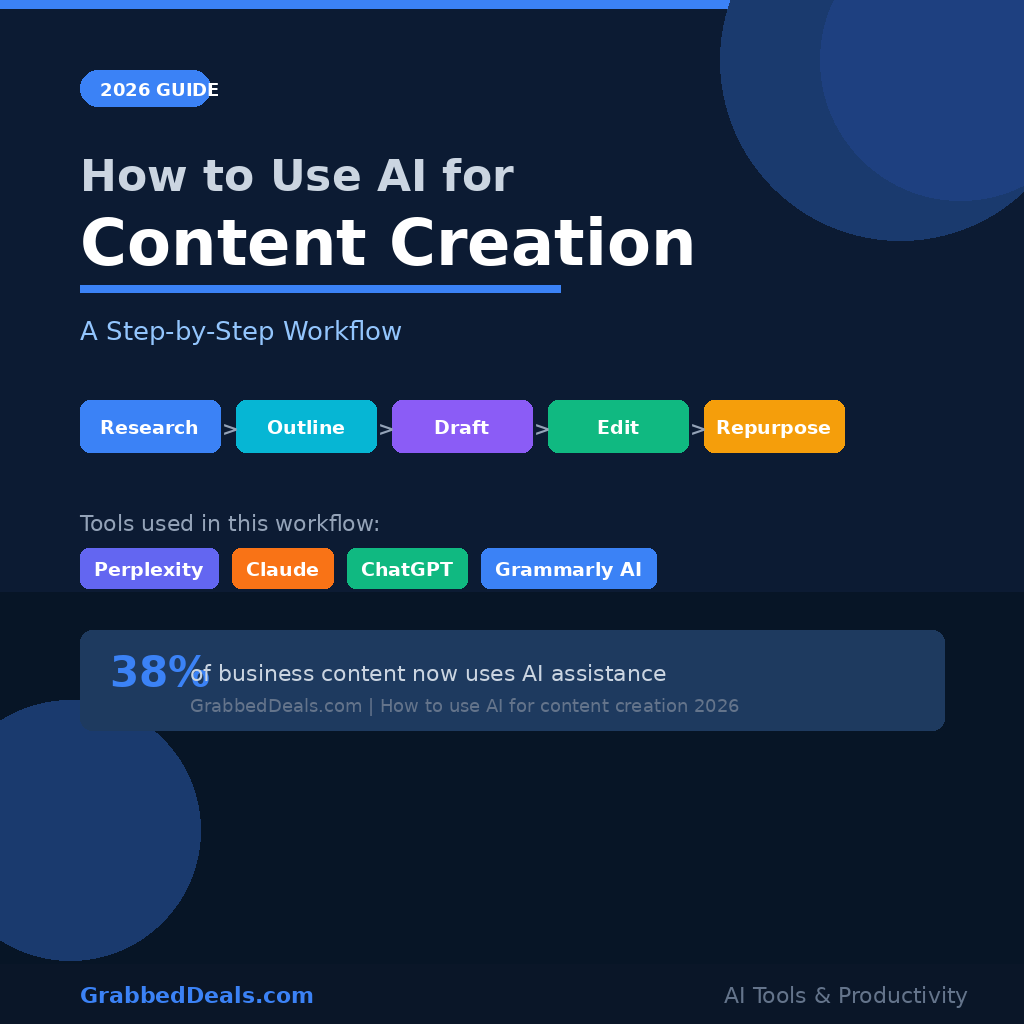
If you are only using AI to write a first draft, you are leaving at least 60% of its value on the table. In 2026, the gap between creators who use AI properly and those who use it casually has never been wider. This step-by-step workflow shows you how to use AI for content creation from research all the way through repurposing, with the right tool at each stage.
Key takeaways:
- AI now assists 38% of all business web content, but most creators only use it for drafting.
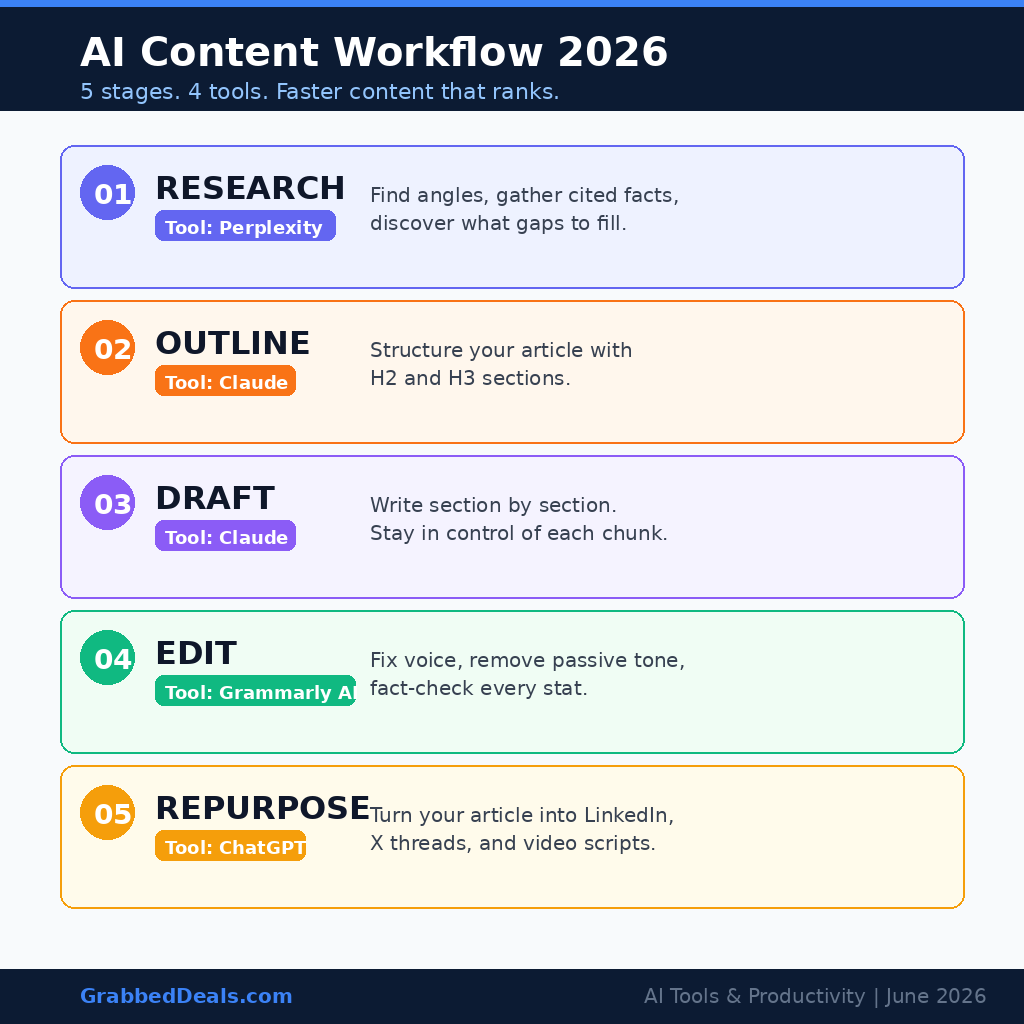
- A full AI content workflow covers five stages: research, outlining, drafting, editing, and repurposing.
- Perplexity handles research, Claude handles long-form drafting and editing, ChatGPT works well for structured formats and social repurposing.
- The right tool at the right stage cuts content production time by up to 80% without sacrificing quality.
- You do not need a paid subscription to start. All five tools referenced here have free tiers.
Why most creators use AI the wrong way
Most people open ChatGPT, type “write me a blog post about X,” and paste whatever comes out. That is not a workflow. It is a shortcut that produces generic output and teaches the tool nothing about your voice, your audience, or your goals.
The professional approach in 2026 is to treat AI as a specialist at each stage of production rather than a single all-purpose writer. Just as you would not ask a researcher to also design your graphics, you should not ask your drafting tool to also verify your facts. The creators getting the best results assign different AI tools to different stages, and they stay actively involved throughout.
Step 1: Use Perplexity for research and angle discovery
Before you write a word, you need to know what angle has not been covered and what your audience is actually asking. Perplexity is the right tool here. It delivers cited answers from live web sources, which means you get current information rather than training data that may be months old.
Start with a research prompt like: “What are the most common mistakes people make when building an AI content workflow in 2026?” Then ask a follow-up: “What are the questions creators have about AI tools for content creation that are not being answered well?” This two-step approach surfaces both the angle and the gaps your content should fill.
A practical tip: use Perplexity’s Deep Research feature for any post that needs more than a surface-level treatment. It synthesises dozens of sources into a structured summary that you can hand to your drafting tool in the next step. Currently, 45% of content creators use Perplexity specifically for fact-checking, which makes it the most trusted research layer in professional editorial workflows.
Step 2: Build your outline with Claude
Once you have your research summary, move to Claude for outlining. Claude handles long-form structure better than any other consumer AI tool in 2026, and an outline is a structural task more than a writing task.
Paste your Perplexity research into Claude and prompt it with: “Based on this research, write a detailed outline for a how-to article targeting [your audience]. The article should answer [your primary question] and cover [the gaps you identified]. Use H2 and H3 headers.” Review the output and reshape it. The outline is yours. Claude gives you a starting skeleton; you decide the final structure.
A strong outline at this stage makes every subsequent step faster. It prevents the common problem of AI-generated content that drifts off-topic halfway through because the model lost track of the structure.
Step 3: Draft section by section, not all at once
The biggest drafting mistake is prompting for the entire article in one go. AI models write better in focused chunks. After you have your outline, draft each H2 section individually.
For each section, give Claude three things: the section heading, the key point it must make, and any specific facts or statistics from your research. This is a focused prompt like: “Write the section on [heading]. The main point is [point]. Include this statistic: [stat]. Write for a [audience type] reader who already knows [prerequisite].”
Working section by section keeps you in the driver’s seat. You review each chunk before moving to the next, so errors do not compound. Claude’s output on long-form content requires the least editing of any major AI tool in 2026, but it is never a substitute for your own judgment on accuracy and tone.
Step 4: Edit for voice and accuracy with Grammarly AI
After you assemble the full draft, run it through Grammarly’s AI editing layer. This catches two things the initial drafting step often misses: passive constructions that slow reading pace, and sentences that are grammatically fine but structurally weak.
More importantly, this is the stage where you add your actual voice. Go through the draft and change any sentence that does not sound like you. Add a personal example. Insert an opinion. Remove any phrase that sounds generic. The best AI-assisted content in 2026 reads like a specific person wrote it, not like a capable-but-neutral machine.
You should also fact-check every statistic. AI tools can occasionally confuse figures between sources, and a single inaccurate claim can undermine your credibility with readers who catch it. Cross-reference any numbers you plan to publish against the original sources from your Perplexity research.
Step 5: Repurpose your content with ChatGPT
Once your article is live, a single piece of content should work across at least three formats. This is where ChatGPT earns its place in the workflow. Paste your finished article and prompt it to produce: a LinkedIn post with a hook that surfaces the core finding, an X thread that turns your key steps into one post per step, and a short-form script for Instagram Reels or TikTok that delivers the main insight in 60 seconds.
ChatGPT’s structured output works well for social formats because these posts follow predictable templates. The hook, the value statement, the call to action. Give ChatGPT the format requirements and let it handle the reformatting while you focus on any final adjustments to tone.
This repurposing step multiplies the return on every piece you publish. A 1,500-word article that took three hours to produce becomes a LinkedIn post, three X posts, and a short video script in under 20 minutes.
Final verdict
The AI content creation workflow that works in 2026 is not about any single tool. It is about knowing which tool handles which stage. Perplexity for research, Claude for structure and long-form drafting, Grammarly AI for editing and voice, ChatGPT for social repurposing. Used in sequence, these four tools will cut your content production time significantly while keeping your quality standard high.
Start with one piece of content this week and run it through all five steps. The difference in both speed and output quality will be clear by the end of your first session.
Frequently asked questions
Is AI content creation worth it for small creators in 2026?
Yes. The productivity gains are proportional regardless of your audience size. Small creators benefit most from the repurposing step, which turns one article into a full week of social content. You do not need a paid subscription to start as all five tools in this workflow have functional free tiers.
What is the best AI tool for writing blog posts in 2026?
Claude is the strongest option for long-form blog post drafting in 2026. It produces output that requires the least editing, handles multi-section structures well, and maintains consistency across longer pieces. For research before drafting, pair it with Perplexity.
How do I stop AI content from sounding generic?
The editing stage is where generic content becomes specific content. After AI drafts a section, go through every paragraph and add one concrete detail, example, or opinion that only you could write. Generic AI content is almost always generic because a human never added their layer on top of it.
Can AI content rank on Google in 2026?
Yes, AI-assisted content can and does rank in 2026. Google’s guidance focuses on helpful, accurate, and original content regardless of how it was produced. Content created using the workflow above, where a human actively researches, structures, edits, and verifies the output, meets those standards.
How long does the full AI content workflow take?
A 1,500-word article using this workflow takes roughly 90 to 120 minutes from research prompt to published draft. That compares to four to six hours for a fully manual process. The biggest time saving comes from the research and outlining stages, where AI can compress several hours of reading and planning into about 20 minutes.
Author: The GrabbedDeals editorial team tests and reviews tech across every major category, from smartphones and laptops to AI tools and smart home devices. Our buying guides are built on the latest real-world data, independent expert reviews, and current pricing.
Explore our more pages – AI Tools | Smartphone | Laptop & PCs | Audio & Sound Systems | Gaming & Photography | EV & Green Tech | Digital Marketing | Smart Tech Deal & Buying Guides