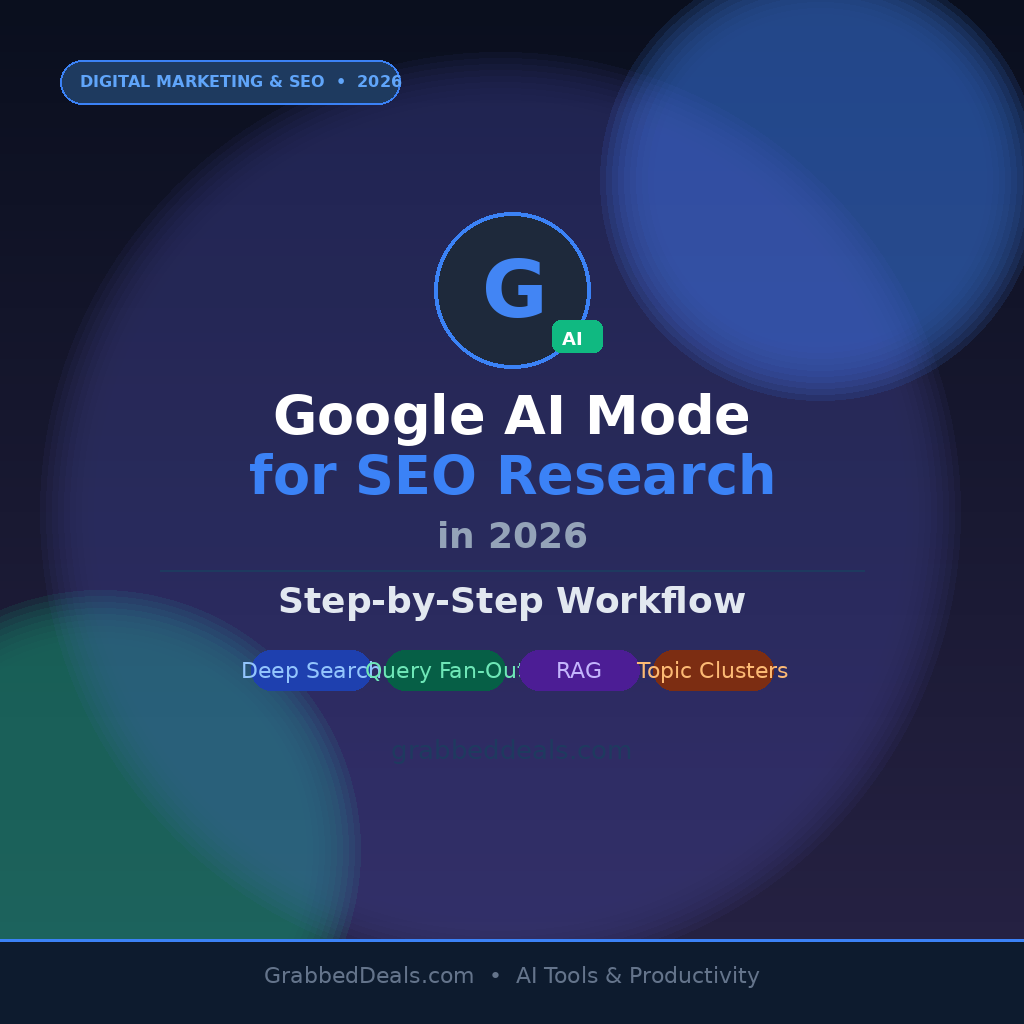
Google AI Mode is the biggest upgrade to Search in over two decades, and SEO professionals who ignore it as a research tool are already losing ground. Powered by Gemini 3.5 Flash as of Google I/O 2026, AI Mode replaces traditional search results with synthesized, cited answers generated through query fan-out. This guide gives you a practical, repeatable SEO research workflow using Google AI Mode so you can audit content gaps, map topic clusters, and position your pages to be cited rather than skipped.
Key Takeaways
- Google AI Mode uses query fan-out, issuing up to 16 simultaneous sub-searches, so one well-structured page can surface across far more queries than you originally targeted.
- Deep Search (Google AI Pro/Ultra subscribers) browses hundreds of sites and returns a fully cited report in minutes, making it the most efficient competitor audit tool available in 2026.
- Google’s May 2026 AI Optimization Guide confirms AEO and GEO are not separate from SEO. Intent-driven topical depth is still the core requirement.
- Google Search Console does not expose direct AI Mode click data yet, so citation-tracking platforms are the dominant measurement layer in 2026.
- Content that opens each section with a direct answer and covers related subtopics in depth earns the most AI Mode citations.
Step 1: Access Google AI Mode correctly
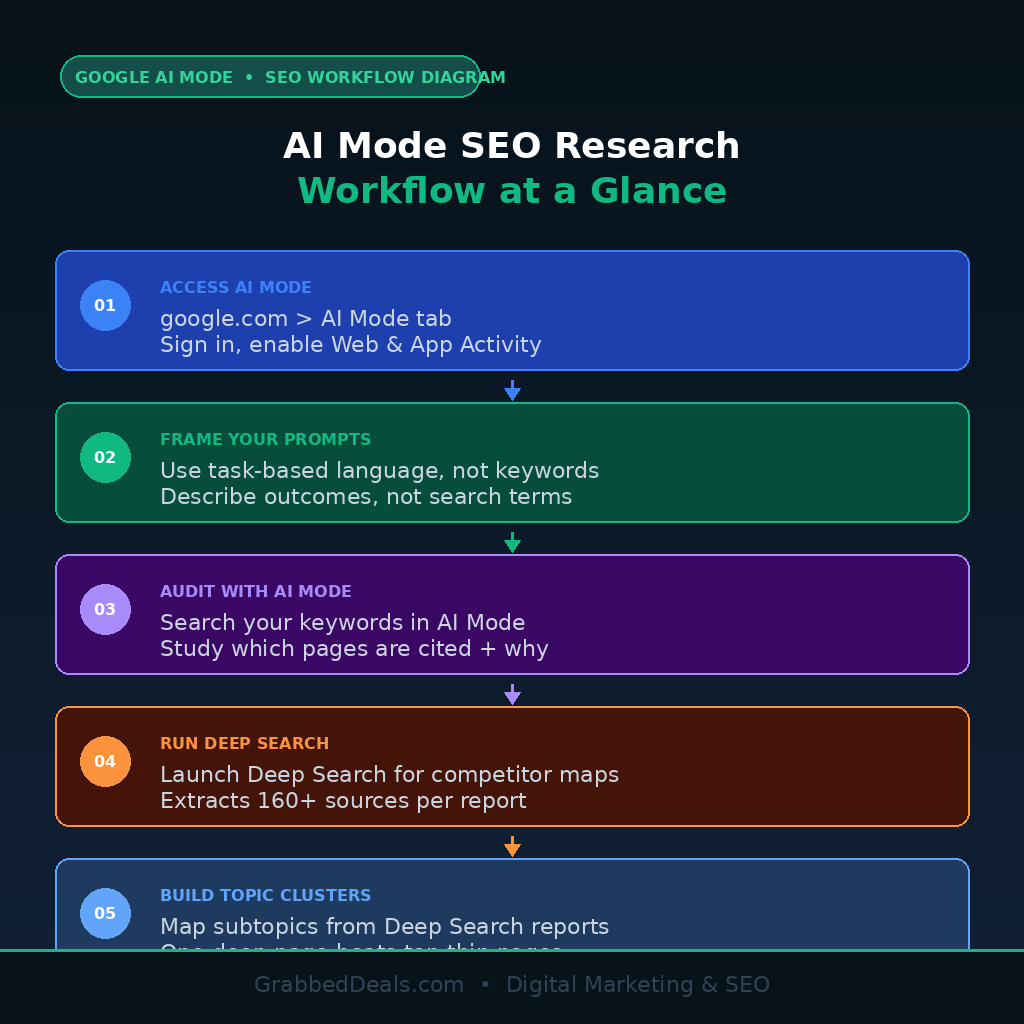
Go to google.com and click the AI Mode tab next to the standard search bar. Sign into a personal Google Account with Web and App Activity enabled. In the US, AI Mode is now the default experience for all users following Google I/O 2026. Outside the US, enable it through Search Labs.
For standard research queries, the default AI Mode interface is sufficient. Switch to Deep Search inside the AI Mode bar when you need competitor content audits or full keyword mapping sessions. Deep Search requires a Google AI Pro or AI Ultra subscription and takes around five minutes per report, but it browses hundreds of sources and produces a fully cited document. Use AI Mode for complex multi-variable research. Use standard Search when you need to browse source pages directly.
Step 2: Build keyword research prompts around intent clusters
AI Mode does not process queries the way a traditional keyword tool does. It interprets the outcome behind a question and uses query fan-out to expand your input into multiple related sub-searches simultaneously. A query like “best AI writing tools for blogs” triggers sub-searches covering pricing comparisons, feature breakdowns, user reviews, and alternatives all at once.
Structure your prompts as tasks, not keywords. Instead of a short-tail term, write: “Analyze competing pages for ‘AI writing tools for beginners 2026’. Identify topics they cover, what questions they answer, and what subtopics appear across multiple sources.” This task-framing mirrors how Deep Search works and produces a ready-made topic cluster map. Pair it with a traditional tool like Ahrefs or Semrush to validate search volumes after mapping intent.
Step 3: Audit your content for citation readiness
AI Mode uses Retrieval-Augmented Generation (RAG) to retrieve relevant indexed pages and synthesize answers from them. Pages that earn citations share three structural traits: they open each section with a direct answer, they use clear entity relationships (product names linked to specific outcomes), and they cover related subtopics in one comprehensive page rather than across many thin URLs.
Search your target keyword in AI Mode and study which pages are cited. Check their structure. Cited pages lead with definitions, use comparison tables for multi-option queries, and use numbered steps for process-based queries. Apply the same patterns to your own content.
Google’s official AI Optimization Guide (Search Central, May 15 2026) confirms you do not need llms.txt files, special AI markup, or content chunking. Strong topical depth written for humans is the target.
Step 4: Map topic clusters with Deep Search reports
Deep Search is the most productive tool in this workflow for building topic cluster architecture. Open Deep Search inside AI Mode, describe your research goal in detail, and let the agent run. For a query like “competitive landscape for AI productivity tools targeting freelancers in 2026”, it issues up to 160 sub-searches, reads the content, and returns a structured, cited report.
From each report, extract: subtopics that appear across multiple cited sources (your cluster article targets), questions answered most frequently (your FAQ and H3 headings), and brands referenced often (comparison and affiliate content opportunities). This replaces hours of manual SERP analysis with a five-minute session.
Step 5: Optimize for query fan-out coverage, not single keywords
Query fan-out means a single well-scoped section on a specific subtopic can earn a citation even when your page does not rank in the top ten for the main keyword. Write pages that address the primary query and the five to eight related questions a reader would logically ask next. Lead every answer with a clear first sentence that states the point, then provide supporting detail. Use tables for comparisons and numbered lists for sequential steps.
Avoid creating separate pages for every long-tail variation of the same intent. Google explicitly flags this as content overlap that weakens site authority. One comprehensive, deep page outperforms five thin pages targeting slight keyword variations in every AI Mode environment.
Watch: Google AI Mode and SEO research explained
This walkthrough covers the AI Mode research workflow, including how to analyze AI-generated answers for content gaps.
Final verdict
Google AI Mode is not a threat to manage. It is research infrastructure that makes faster, more precise SEO work possible. The workflow above gives you a repeatable process for producing pages that AI Mode actually cites. The SEO fundamentals have not changed. What changed is how thoroughly and how quickly you can research a topic, and how precisely you need to match content structure to user intent. Start with Deep Search on your next competitive audit and apply the RAG-ready formatting from Step 3 to your highest-priority existing pages first.
Frequently asked questions
Is Google AI Mode available for all users in 2026?
Google confirmed at I/O 2026 that AI Mode is the default experience for all US users, with a global rollout underway. Outside the US it may still require Search Labs. Deep Search within AI Mode requires a Google AI Pro or AI Ultra subscription.
What is query fan-out and why does it matter for SEO?
Query fan-out is the technique Google AI Mode uses to break a single search query into multiple related sub-searches issued simultaneously. A well-structured page covering a topic in depth can earn citations across multiple related queries, not just the exact keyword you targeted.
Does AI Mode use the same ranking signals as regular Google Search?
Yes. Google’s May 2026 AI Optimization Guide confirms AI Mode is rooted in core Search ranking systems. RAG pulls from the existing Search index, meaning E-E-A-T, topical authority, and page structure still drive citation eligibility.
Do I need llms.txt files or special schema to appear in Google AI Mode?
No. Google explicitly states that llms.txt files, content chunking, and special AI markup are not required. Its systems already understand meaning and synonyms without them.
How do I track if my content is being cited in Google AI Mode?
Google Search Console does not expose direct AI Mode click data as of mid-2026. Dedicated citation tracking and LLM visibility monitoring platforms are the primary measurement tools. Manually searching target keywords in AI Mode and checking citations is a practical free starting point.
Related posts
Explore our page – AI Tools & Productivity