Key Takeaways
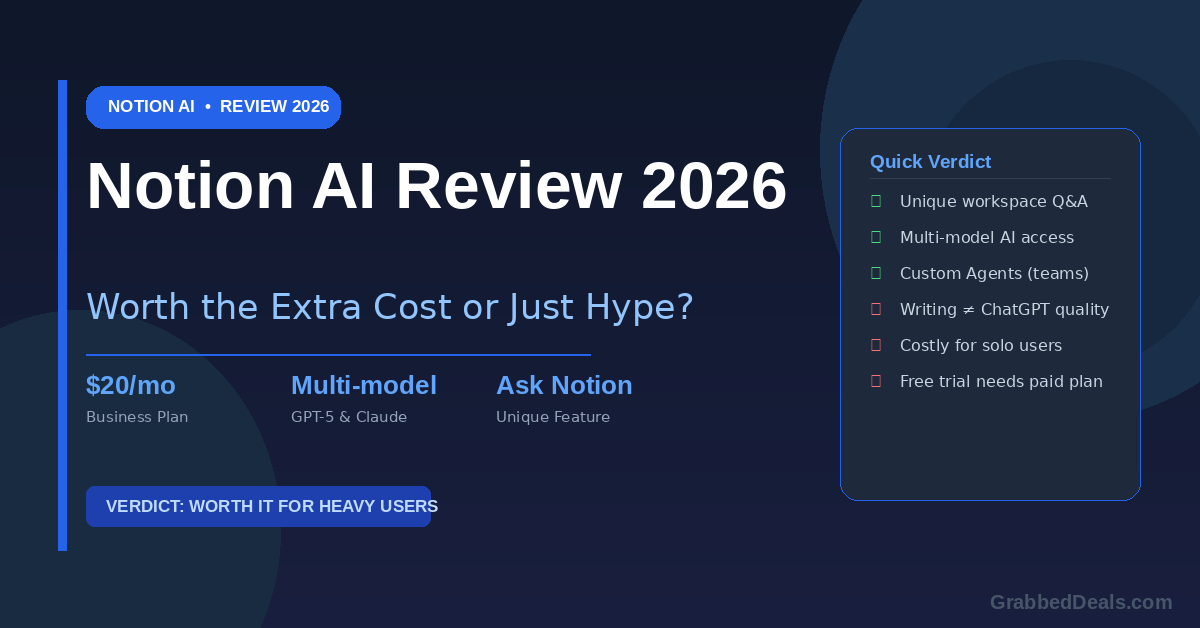
- Notion AI is no longer a simple add-on. Full AI access, including Agents and Ask Notion, now requires the Business plan at $20/user/month.
- The workspace Q&A feature (Ask Notion) is genuinely unique. No external AI tool can search your Notion pages, databases, Slack, and Google Drive simultaneously.
- If you already pay for ChatGPT Plus or Claude, the writing assistant alone does not justify the upgrade.
- Teams get significantly more value than solo users. Database autofill, meeting summaries, and Custom Agents shine when there is real team data to work with.
- The verdict: worth it for heavy Notion users. Not worth it if you only use Notion for basic tasks.
Who is this for? This review is for anyone already using Notion who is deciding whether to upgrade for AI features, or for new users weighing whether Notion AI justifies its cost against standalone tools like ChatGPT, Claude, or Jasper.
Notion has been building quietly toward this moment for years. First it was a note-taking app. Then it became a project management tool. Then a team wiki. And now, with the Notion 3.0 launch in September 2025 and the Notion 3.3 update in February 2026, it has repositioned itself as something much more ambitious: an AI-powered workspace where your data does the work for you.
The pitch is genuinely compelling. But the question a lot of people are asking right now is not whether Notion AI is impressive. It is whether it is impressive enough to justify a pricing structure that has changed significantly over the past year. That is what this review answers.
What is Notion AI in 2026?
Notion AI is the artificial intelligence layer built directly into the Notion workspace. Unlike standalone tools such as ChatGPT or Claude, it works inside your existing notes, databases, and project management setup. It can read your workspace content, answer questions about your data, draft documents, and run autonomous tasks.
The key advantage has always been context. When you ask ChatGPT to summarise a project, you have to copy-paste the relevant information. Notion AI already knows where everything is. That context advantage is what Notion has spent the last year turning into a serious product.
As of April 2026, Notion AI includes four main capabilities.
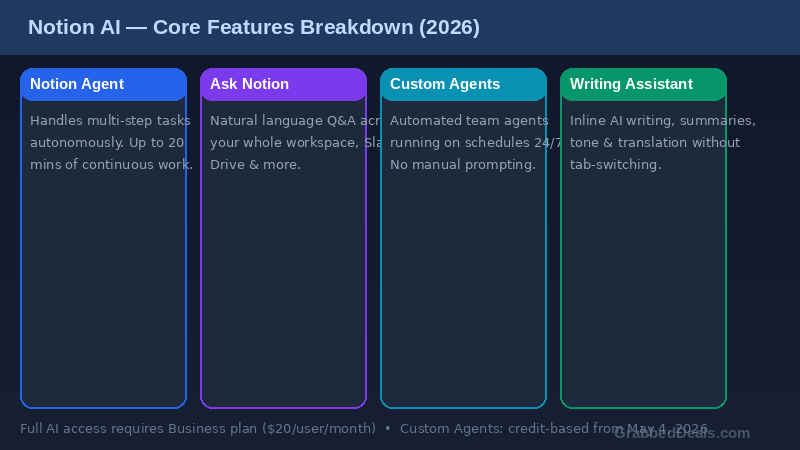
Notion Agent is your personal AI assistant, available on all Business and Enterprise plans. It handles on-demand tasks, from drafting docs to querying your workspace and connected apps like Slack, Google Drive, and GitHub.
Custom Agents (launched February 2026) are team-wide automated agents that run on schedules or triggers. One person sets them up, and they run 24/7 without anyone needing to prompt them.
Ask Notion is the workspace-wide search and Q&A feature. You ask a natural language question and get an answer pulled from your Notion pages, databases, and connected tools, with source links included.
AI Writing Assistant handles inline writing tasks. Summarise, improve, translate, change tone, or draft from scratch, all without leaving the page you are working on.
What Has Changed: Pricing Shake-Up Explained
This is the part that matters most for your decision. Notion’s pricing restructured significantly in May 2025, and again in early 2026. Here is where things stand now.
Notion has four tiers: Free ($0), Plus ($10/user/month billed annually), Business ($20/user/month billed annually), and Enterprise (custom pricing).
The critical change is this: full AI access, including Agents and Ask Notion, now requires the Business plan. The old standalone AI add-on at $8 to $10 per user per month has been eliminated. If you want the features that make Notion AI genuinely useful in 2026, you are paying $20 per user per month at minimum.
For a solo user, that is $240 per year. For a team of five, it is $1,200 per year, just for the Notion plan, before any other tools.
Custom Agents (the fully autonomous, scheduled automation agents) were free to try through May 3rd, 2026. From May 4th onward, they run on Notion credits, which you buy as an add-on to Business and Enterprise plans.
The honest framing here is that Notion has bet heavily on AI being worth a premium. Whether that bet pays off for you depends entirely on how you use the platform.
Core Features Tested
Ask Notion: The Feature That Sets It Apart
This is the feature that no external AI tool can replicate, and Notion deserves credit for it.
Ask Notion lets you query your entire workspace in plain English. You can ask things like “what were the action items from last week’s product sync?” or “what did we decide about the enterprise pricing tier?” and it pulls answers from your actual pages and databases, with direct links back to the source documents.
The practical value of this is hard to overstate if you have been building in Notion for a while. Knowledge workers spend a significant portion of their week searching for things they know exist somewhere but cannot locate quickly. Ask Notion solves that. When it works, it genuinely feels like having an assistant who has read all your notes.
The caveat is that the quality of the answers depends on the quality of your workspace. If your Notion is well-organised with clear page names and structured databases, Ask Notion performs well. If it is a collection of loosely connected notes with vague titles, you will get vague results.
It also connects to Slack, Google Drive, GitHub, Jira, Microsoft Teams, and more, so the search is not limited to Notion alone. That connected search capability is the strongest argument for the Business plan upgrade.
Notion Agents: Genuinely Autonomous or Marketing Fluff?
The Notion Agent, launched with Notion 3.0 in September 2025, can perform multi-step tasks autonomously using your workspace data. According to Notion’s own documentation, it can sustain up to 20 minutes of autonomous work, handling tasks like updating a project tracker, drafting a summary from meeting notes, and notifying your team, all in one go.
In practice, it is impressive but not perfect. You need to be specific with your prompts, and the results often need a review pass before you act on them. Think of it as a capable assistant who knows where everything is in your workspace but still needs supervision.
The model selection is a genuine differentiator. You can pick from GPT-5.2, Claude Opus 4.5, or Gemini 3, or let Auto mode choose the best model for the task. Claude Opus 4.5 handles complex reasoning well, GPT-5.2 delivers fast responses, and Gemini 3 handles large context windows. This multi-model approach means you are not locked into one provider’s strengths.
Custom Agents, added in February 2026, take this further by running automatically on schedules or triggers, without anyone needing to prompt them. Real-world examples already exist: companies using agents to triage IT support questions (resolving over 25% autonomously), generate weekly status reports, and keep competitor intelligence documents updated daily.
These are powerful capabilities. But they require a well-structured workspace to deliver on their promise, and they carry an additional credit cost from May 2026.
The Writing Assistant: Honest Verdict
This is where the review gets blunt.
The Notion AI writing assistant is accessible, convenient, and fast. You highlight text, hit the AI button, and get a rewrite, summary, or translation without switching tabs. For someone who lives in Notion and writes there frequently, that friction reduction is real.
But it is not producing better output than ChatGPT-4o or Claude Sonnet. If you are already paying for either of those, you will not notice a meaningful quality improvement by switching to Notion’s inline version. The writing assistant is a convenience feature, not a capability upgrade.
The meeting note summarisation is a different story. If your team runs meetings through Notion and you are generating regular meeting notes, the AI summarisation is genuinely useful, producing action items, key decisions, and summaries in the format you specify. The February 2026 update added custom instructions for summary format, which makes this far more practical for teams with established reporting styles.
Database autofill rounds out the practical feature set. It reads existing database content and automatically fills properties, useful for enriching CRM-style databases or content calendars with consistent data. It has a learning curve and inconsistent results on complex properties, but for straightforward use cases it saves real time.
Notion AI vs ChatGPT vs Claude: Which Should You Use?
Here is the honest framework for deciding.
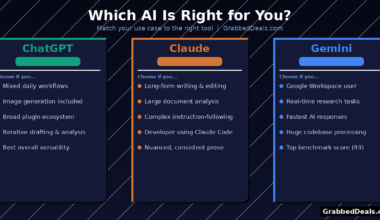
Use ChatGPT Plus or Claude for general writing, brainstorming, coding, research, and tasks that do not depend on your specific documents. Both tools produce higher-quality writing output than Notion’s inline assistant, and both are available for $20 per month as standalone subscriptions.
Use Notion AI when you need AI that understands what is already in your Notion workspace. Summarising a long document, asking what was decided in a meeting last month, querying a database for patterns, or running automated workflows across connected apps. These are things ChatGPT and Claude simply cannot do from a blank prompt, no matter how good the model is.
The honest answer is that they are not direct competitors. Notion AI is workspace-aware context management with AI features layered on top. ChatGPT and Claude are frontier-model assistants. The best setup for most power users is probably both, using Notion AI for workspace-specific tasks and a standalone AI tool for everything else.
The cost question then becomes whether you need both. If your work is already deeply embedded in Notion, the Business plan cost can partially replace ChatGPT Plus. If you use Notion lightly, it cannot.
Who Should Pay for Notion AI?
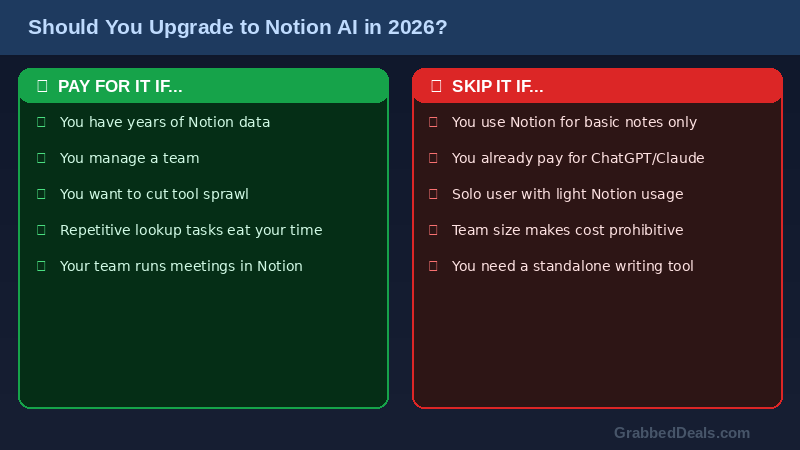
Pay for it if:
- You have months or years of data already in Notion. The Q&A feature delivers real value when your workspace is rich with notes, meeting records, project histories, and decisions.
- You manage a team. The database autofill, meeting summarisation, and Custom Agents all scale with team usage in a way that solo use does not.
- You want to reduce tool sprawl. If upgrading to Business consolidates tools you are paying for separately, the $20/month can be a net saving.
- Your work involves repeated lookup tasks across a large knowledge base.
Skip it if:
- You only use Notion for simple task lists or basic notes. The AI features will not transform a light usage pattern.
- You already pay for ChatGPT Plus or Claude and primarily want writing assistance. You will be paying for a capability you already have.
- You are a solo user without a significant existing Notion workspace. The context advantage that makes Notion AI special requires a rich workspace to draw from.
- Your team is large enough that the per-user cost becomes prohibitive. At $20/user/month, a team of ten is paying $2,400 per year on the Notion plan alone.
Pros and Cons
What works well:
- Ask Notion workspace Q&A is genuinely unique and highly useful for teams with established workspaces
- Multi-model support (GPT-5.2, Claude Opus 4.5, Gemini 3) gives you the best model for each task
- Custom Agents automate recurring workflows without code, and real-world results are compelling
- Everything stays in one place, no copying text between tools for workspace-related tasks
- Meeting note summarisation with custom format instructions is a practical time-saver
- SOC 2 compliance and a clear no-training-on-your-data policy address privacy concerns
What does not work as well:
- The writing assistant does not match the output quality of ChatGPT Plus or Claude for standalone writing tasks
- Full AI access now requires the Business plan at $20/user/month, a significant jump from the old add-on model
- Free plan users cannot try AI features before committing to a paid plan
- Custom Agents move to a credit-based cost from May 4th 2026, adding another cost layer to evaluate
- Results from Agents and Ask Notion require review passes, they are assistants, not fully autonomous replacements for human judgment
- Performance can slow on very large workspaces and complex database queries
Final Verdict
Notion AI in 2026 is a genuinely strong product for the right user. The Ask Notion workspace search and the Notion Agent are capabilities no external AI tool can replicate, and the multi-model flexibility means you are getting access to frontier models without paying for them separately.
But it is not a universal upgrade. If you are a light Notion user, or if you are primarily looking for a better writing assistant, the Business plan cost is hard to justify when ChatGPT Plus and Claude exist at $20 per month as standalone tools.
The clearest case for Notion AI is a team that already lives in Notion, has an established knowledge base, and wants to stop context-switching between their workspace and external AI tools. For that team, the Business plan pays for itself quickly.
For solo users and light users, the honest recommendation is to stay on Plus or Free for now and revisit when your workspace has grown enough to make the context advantage meaningful.
FAQs
Is Notion AI free to use in 2026? Notion AI is not free in 2026. The free plan includes a limited trial of AI features, but full access to Notion Agent and Ask Notion requires the Business plan at $20/user/month. There is no standalone free tier for AI features.
What is the difference between Notion AI and ChatGPT? The key difference is context. ChatGPT works from a blank slate and requires you to provide all relevant information in your prompt. Notion AI has access to your entire workspace, including pages, databases, meeting notes, and connected apps like Slack and Google Drive. Notion AI is better for workspace-specific tasks. ChatGPT is better for general writing, coding, and tasks that do not depend on your existing documents.
How much does Notion AI cost in 2026? Full Notion AI access requires the Business plan, priced at $20/user/month billed annually ($24/user/month billed monthly). The old standalone AI add-on at $8 to $10/user/month was eliminated in May 2025. Custom Agents, added in February 2026, move to a credit-based pricing model from May 4th, 2026, available as an add-on on Business and Enterprise plans.
What is Ask Notion? Ask Notion is the workspace-wide Q&A feature. You type a natural language question and it searches across your Notion pages, databases, and connected tools (Slack, Google Drive, GitHub, Jira, and more) to give you an answer with source links. It is the most unique feature Notion AI offers, as no external AI tool can replicate this without you manually providing the context.
Is Notion AI worth it for solo users? For solo users, the verdict depends on how deeply you use Notion. If you have an extensive workspace with years of notes, projects, and decisions stored in Notion, the Ask Notion Q&A can be genuinely useful. If you use Notion lightly, the $20/month Business plan is harder to justify compared to a standalone ChatGPT Plus or Claude subscription. Most solo users with light Notion usage are better off staying on the Plus plan and using a separate AI tool.
Related Posts
- Perplexity AI Review 2026: Is It the Best AI Search Engine?
- Jasper AI Review 2026: Best AI Writing Tool for Marketers?
- ChatGPT vs Claude vs Gemini: The Honest Comparison for 2026
Explore our more pages – AI Tools & Productivity | Smartphone Ecosystems | Laptop & PCs | Audio & Sound Systems | Gaming | Photography & Videography | EV & Green Tech | Digital Marketing & SEO | Smart Home & Wearables | Tech Deals & Buying Guides |
Author bio: The GrabbedDeals team covers AI tools, smartphones, laptops, and tech deals for readers across the UK, US, and Europe. Our reviews are independent, hands-on, and updated regularly.