If you are choosing between ChatGPT, Claude, and Gemini for your daily work, the honest answer is: they are no longer interchangeable. Each has pulled away from the pack in specific areas, and picking the wrong one for your workflow costs you real time every day.
This guide breaks down the three biggest AI productivity tools in 2026, compares them head-to-head across writing, research, automation, and pricing, and tells you exactly which one to use based on what you actually do.
Key takeaways
- ChatGPT is the strongest all-rounder for mixed workflows: drafting, analysis, file work, and browsing in a single session.
- Claude leads on long-form writing, document review, and sustained multi-step reasoning tasks.
- Gemini wins if your workflow lives inside Google Workspace, with the tightest ecosystem integration of the three.
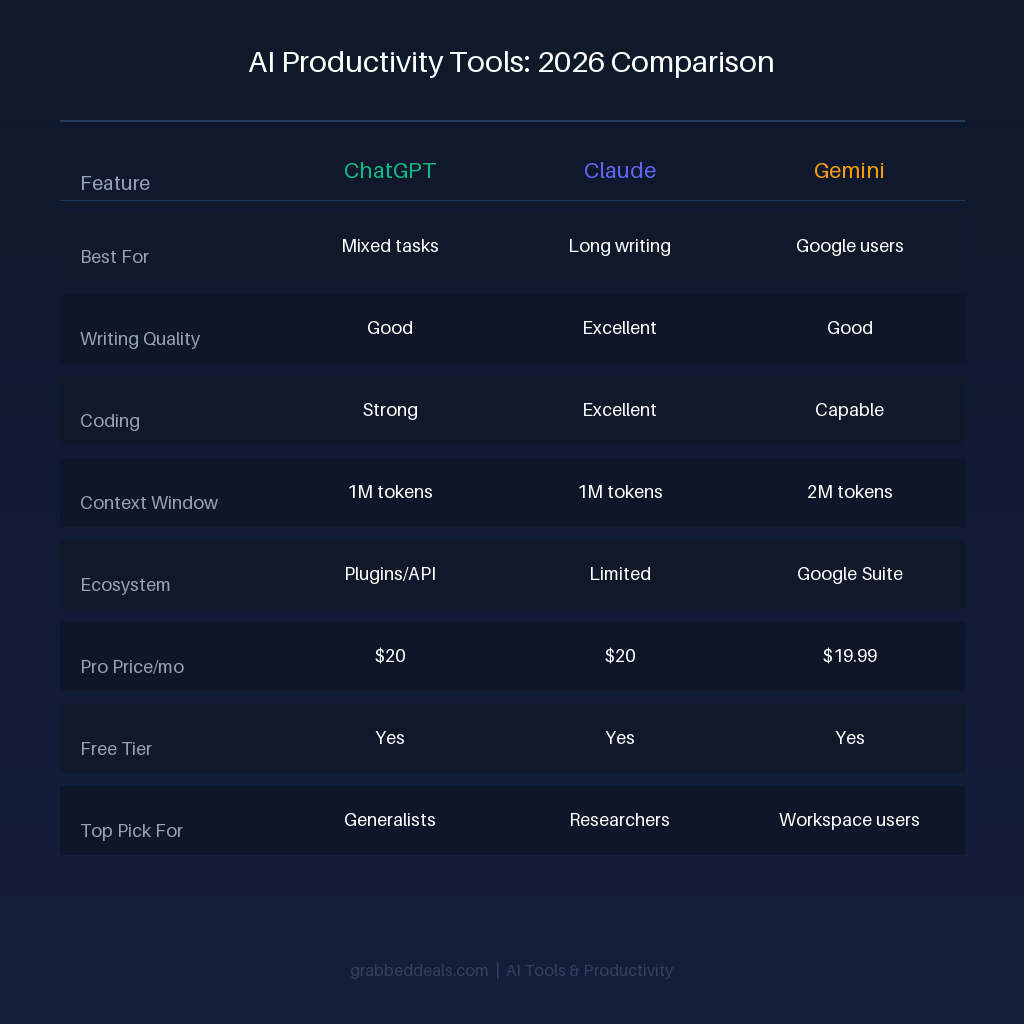
- All three cost $20 per month at the Pro tier, so capability and fit should drive your decision, not price.
- Most professionals get the best results by using two tools strategically rather than one tool for everything.
ChatGPT: Best for mixed, multi-task workflows
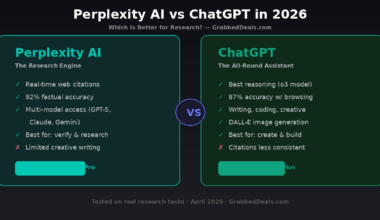
ChatGPT remains the most flexible option in 2026. If your sessions regularly move between drafting, restructuring, file analysis, and structured outputs, it is built for exactly that pattern. The interface works as a single workbench where task types do not require you to switch tools mid-session.
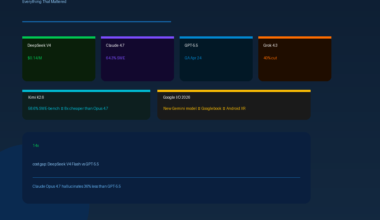
The GPT-5.5 model, released in April 2026, brings a 1M context window alongside improved performance in coding, data analysis, and software operations. The free tier still exists for light users, while ChatGPT Plus at $20 per month gives full access to the flagship model. Teams pay $25 per user per month on annual billing.
Where ChatGPT pulls ahead is in its plugin ecosystem and conversational memory, which has matured significantly. It handles web browsing, image generation, and code execution natively, making it the closest thing to a single productivity hub.
Best for: Freelancers, content creators, and professionals who handle several different task types in one sitting.
Weakness: It can produce confident-sounding errors on complex reasoning chains, so verification matters more here than with Claude.
Claude: Best for writing, research, and long documents
Claude is the tool of choice for knowledge workers who spend most of their time in long documents, iterative drafts, and complex research tasks. Anthropic built it around writing quality, instruction-following precision, and consistency across long sessions, and that focus shows.
The Claude Opus 4.7 update in April 2026 introduced a 1M context window alongside high-resolution vision and self-verification, making it the most reliable option for processing lengthy reports, legal documents, or technical briefs. For sustained writing cycles where you revise multiple drafts and need the assistant to hold context and voice consistently, Claude outperforms the other two.
Claude Pro also costs $20 per month, with Teams pricing at $25 per user. The free tier is available with usage limits. One standout feature is Claude’s ability to maintain coherence across long conversations without drifting, which matters significantly when you are working on a project over hours rather than minutes.
Claude Code, a separate command-line tool, has made it the dominant choice for developers working with large codebases. For general coding tasks, it leads SWE-bench Pro benchmarks as of May 2026.
Best for: Writers, analysts, researchers, lawyers, and developers working with large files or extended projects.
Weakness: Less integrated with third-party apps compared to ChatGPT. Stronger on depth than breadth of tool use.
Gemini: Best for Google Workspace users
If your daily workflow runs through Gmail, Google Docs, Sheets, and Drive, Gemini is not just the best choice, it is the only choice that makes structural sense. Google rebuilt Gemini around deep Workspace integration in 2025, and the result in 2026 is an assistant that works inside the tools you already use rather than alongside them.
In Google Docs, Gemini suggests enhancements in real time. In Sheets, it generates and explains formulas contextually. In Gmail, it drafts and summarises threads without requiring you to copy and paste content into a separate chat window. That level of integration genuinely reduces friction in a way the other two cannot replicate inside Google’s ecosystem.
Google rebranded its paid tier as Google AI Pro at $19.99 per month in 2026, with a premium Google AI Ultra tier at $249.99 per month for users who need video generation and the full tool suite. The Pro plan also bundles 2TB of Google Drive storage, which effectively brings the AI cost down to around $10 per month for users who were already paying for storage.
Gemini 3.1 Pro is currently Google’s flagship model. It leads on multimodal tasks and real-time web research with citation quality.
Best for: Teams and individuals already inside Google Workspace who want AI embedded into existing tools rather than added on top.
Weakness: Outside the Google ecosystem, Gemini loses much of its advantage. For standalone writing or coding tasks, ChatGPT and Claude offer more.
Pricing compared: What you actually pay in 2026
All three tools have converged on the same consumer price point. Here is what each tier actually includes.
At the free level, ChatGPT, Claude, and Gemini all offer limited access to their flagship models with daily usage caps. For most casual users, the free tier is sufficient for occasional tasks.
At $20 per month, ChatGPT Plus and Claude Pro give full access to their best models with higher usage limits. Google AI Pro at $19.99 includes the 2TB Drive storage bundle. For teams, ChatGPT and Claude charge $25 per user per month on annual billing. Google bundles Gemini into existing Workspace subscriptions as an add-on.
The real cost difference shows up at the top end. ChatGPT Pro and Claude Max both reach $200 per month for maximum usage. Google AI Ultra costs $249.99 per month and adds video generation through Veo. For the vast majority of professionals, the $20 tier is where the decision should be made.
Final verdict
For most professionals, the comparison comes down to what you spend most of your time doing.
If you handle a wide range of tasks in every session, from drafting to data analysis to file review, ChatGPT is the most practical all-in-one option. If you write extensively, work with long documents, or need a research assistant that stays consistent across hours of work, Claude is the clearest choice. If your work already lives in Google Workspace, Gemini makes more sense than either.
The best stack for most independent professionals combines two tools: Claude for deep writing and document work, and either ChatGPT or Gemini as a complementary tool based on workflow. At $40 per month total, that combination covers more ground than any single tool can.
Frequently asked questions
Which AI tool is best for productivity in 2026?
ChatGPT is the best all-around productivity tool for professionals who handle varied tasks in one session. Claude is the better pick for writing-heavy work and long documents. Gemini is best for users who work inside Google Workspace daily. There is no universal answer, but most professionals benefit from choosing one as their primary tool and a second as a specialist.
Is Claude better than ChatGPT for writing?
Yes, for most writing tasks. Claude maintains voice consistency across long drafts, follows complex instructions more precisely, and handles multi-step revisions with less drift. For quick-turnaround short-form content, the gap is smaller. For long-form documents, reports, or sustained editorial work, Claude has a clear edge in 2026.
Is Gemini worth paying for if I already use Google Workspace?
Yes. The integration between Gemini and Google Docs, Gmail, and Sheets is deep enough to justify the $19.99 per month cost on its own, especially since the plan includes 2TB of Drive storage. If you were already paying for storage, the net cost of the AI features is closer to $10 per month.
Can I use ChatGPT, Claude, and Gemini together?
Yes, and many professionals do. A common setup is using Claude for writing and research, ChatGPT for brainstorming and structured outputs, and Gemini for anything inside Google Workspace. The overlap between tools is smaller than it looks. Each has areas where it leads, and combining two tools strategically often beats any single tool.
What is the cheapest way to access all three AI tools in 2026?
All three offer free tiers with daily usage limits. If you need consistent access, the $20 per month Pro tiers are the standard entry point. Some third-party services bundle access to multiple models under one subscription for less than a single direct plan, but these come with feature limitations and no API access.
Author: The GrabbedDeals editorial team tests and reviews tech across every major category, from smartphones and laptops to AI tools and smart home devices. Our buying guides are built on the latest real-world data, independent expert reviews, and current pricing.
Explore our more pages – AI Tools | Smartphone | Laptop & PCs | Audio & Sound Systems | Gaming & Photography | EV & Green Tech | Digital Marketing | Smart Tech Deal & Buying Guides