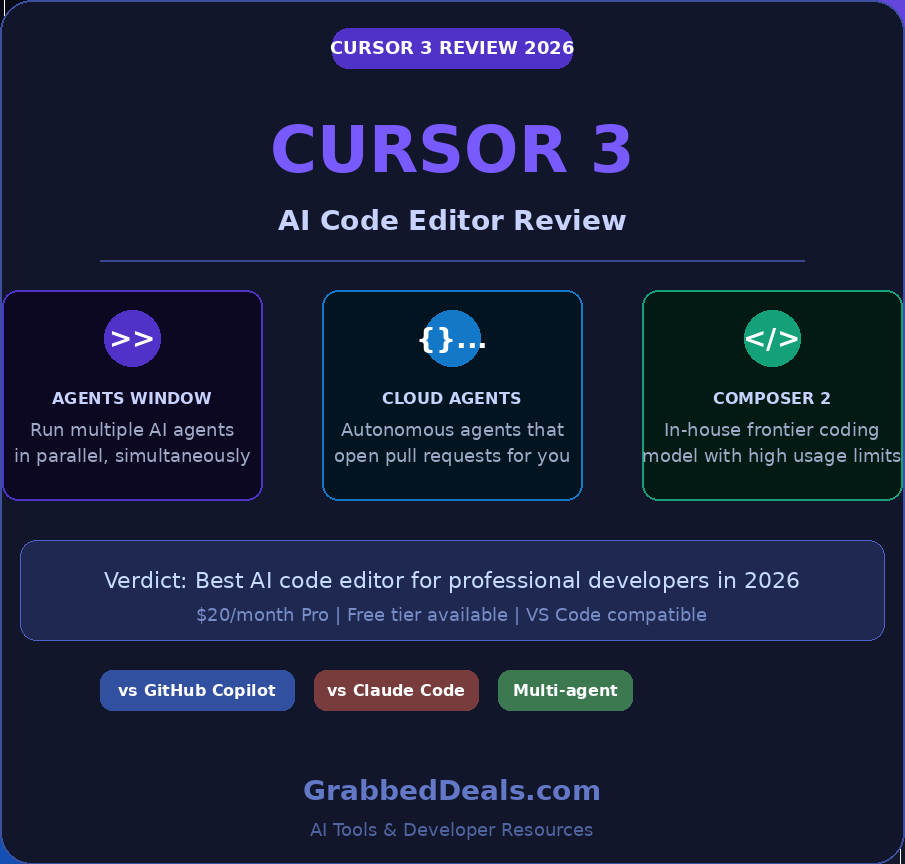
Cursor 3 is the most significant shift in AI-assisted coding since autocomplete was invented. Released on April 2, 2026, it is a full rebuild around a new premise: your job as a developer is to orchestrate agents, not write every line yourself.
This Cursor 3 review 2026 covers what changed, what it costs, how it holds up against GitHub Copilot and Claude Code, and whether it belongs in your workflow.
Key takeaways:
- Cursor 3 replaces the old Composer panel with a dedicated Agents Window for running multiple AI agents in parallel.
- Cloud Agents clone your repo, work autonomously in isolated VMs, and open pull requests when they finish.
- Pro plan costs $20/month, unchanged from the previous version.
- For developers who code 4+ hours a day on complex projects, the time savings pay back the cost within the first week.
- GitHub Copilot is still cheaper at $10/month, but Cursor 3 leads decisively on agentic features.
What is Cursor 3 and who is it for?
Cursor is an AI-native code editor built by Anysphere on a fork of VS Code. The company hit $2 billion in annualized revenue in February 2026, with roughly half of Fortune 500 companies now using it. That kind of adoption does not happen by accident.
Cursor 3 was released April 2, 2026, and the Anysphere team describes it as “the biggest release since we forked VS Code.” It introduces the Agents Window, a rebuilt interface that enables parallel AI agent execution across local machines, cloud environments, SSH, and worktrees.
Cursor 3 is built for professional developers who are already comfortable with AI-assisted coding and want to move up a level: from AI as a writing assistant to AI as a team of workers you direct. If you are new to coding entirely, start with VS Code and GitHub Copilot first. Cursor 3 rewards people who know enough to review what the agents produce.
The Agents Window: the biggest change in Cursor 3
The new interface is inherently multi-workspace, allowing humans and agents to work across different repos. All local and cloud agents appear in the sidebar, including the ones you kick off from mobile, web, desktop, Slack, GitHub, and Linear.
The Agents Window replaces the old Composer pane with a full-screen workspace. Instead of working with one chat thread at a time, you now manage a live view of every agent running across every project.
A new feature in Cursor 3 runs the same prompt against multiple AI models and returns the outputs side by side. This is useful when you want to compare how Claude Sonnet, GPT-4o, and Cursor’s own model handle the same problem before deciding which output to accept.
Cursor 3.1, released April 13, 2026, added a Tiled Layout so you can split your current view into panes to run and manage several agents in parallel. This matters. Running five agents side by side, one on a frontend bug, one on an API integration, one on your test suite, changes the mental model of coding entirely. You stop writing and start reviewing.
Cloud Agents: the feature that changes overnight workflow
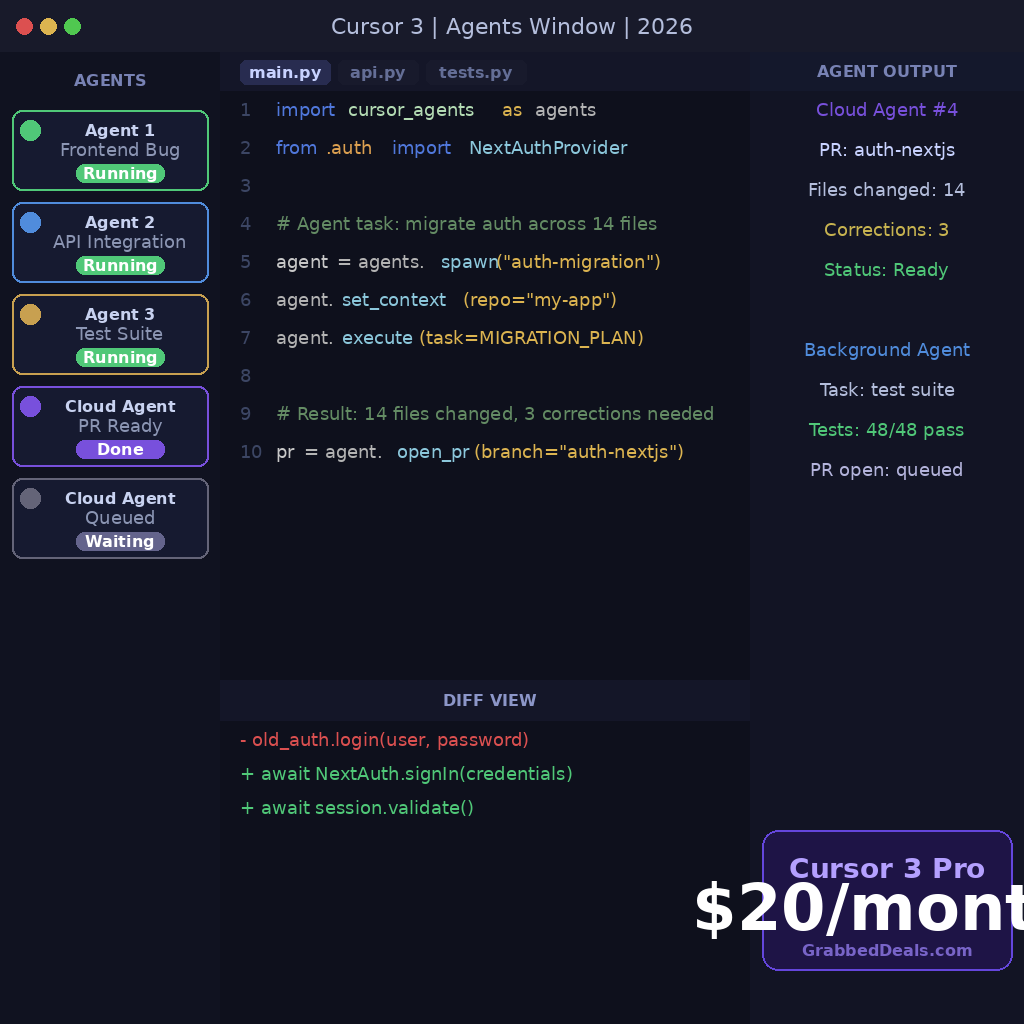
Cloud agents (formerly called Background Agents) clone your repo from GitHub or GitLab, work on their own branch in a cloud VM, and push changes back. They can build, test, and interact with the changed software. You can launch cloud agents from Cursor Web, the desktop app, Slack, GitHub, Linear, or the API.
The practical implication: you hand off a task before you close your laptop and wake up to a pull request ready to review. You can run up to 8 agents in parallel. For teams working across time zones, this is the feature that pays for itself fastest.
You can move an agent session from local to cloud to keep it running while you are offline, or so you can move on to the next task. This is especially useful for longer-running tasks that would otherwise get interrupted when you close your laptop.
Real-world performance
Agent mode lets you describe what you want in natural language, and Cursor plans and executes changes across multiple files. It reads your project, proposes a plan, creates files, modifies existing ones, runs terminal commands, and iterates on errors while you watch or review diffs.
One reported real-world test: a full auth system migration from custom code to NextAuth.js across 14 files. The result needed three manual corrections. Fourteen files. Three corrections. A 4-hour refactor completed in 90 minutes, including review time.
The AI still makes mistakes. Cursor’s strength is that those mistakes are small and reviewable, not invisible. The diffs view in version 3 makes this faster, with a cleaner UI for staging, committing, and managing pull requests.
Cursor 3 pricing and plans
Cursor 3 Pro costs $20/month. There is a free tier with limited model usage and basic Agents Window access. Pro+ at $60/month provides a 3x credit pool for heavy users. Students can claim a free Pro year with a school email.
Cloud agent usage carries additional per-task costs, logged at roughly $4.63 per easy PR in Max Mode on top of the Pro subscription. Teams running dozens of parallel agents should factor this into their monthly estimate.
Cursor 3 vs GitHub Copilot vs Claude Code
Cursor 3 vs GitHub Copilot: Copilot is cheaper at $10/month vs $20/month for Pro but less capable on agentic features. Copilot introduced its own coding agent in early 2026, but it is less mature than Cursor’s. The gap has widened with Cursor 3. If you only use Copilot for inline suggestions, the $10 price difference is hard to justify switching from.
Claude Code still wins for developers who prefer a terminal-first workflow without a full IDE. Cursor 3 wins for developers who want agent power inside a familiar editor with a GUI. These are different use cases, not a straight competition.
Pros and cons
Pros: Parallel Agents Window. Cloud Agents that open PRs autonomously. Full VS Code extension compatibility. All major frontier models supported. Design Mode for visual UI targeting.
Cons: Opaque credit system. Performance lags on very large codebases. Cloud Agent costs add up at team scale. AI output still needs careful human review.
Final verdict
Cursor 3 is the best AI code editor available in 2026 for developers who work on complex, multi-file projects. The Agents Window and Cloud Agents are not incremental improvements. They represent a different way of working.
At $20/month, the ROI is clear for anyone who codes professionally. If you spend 4+ hours a day writing code, Cursor 3 will recover that cost within the first week in time saved. If you code occasionally or only need inline autocomplete, GitHub Copilot at $10/month remains sensible.
The developers who will get the most from Cursor 3 are already using Composer or Agent mode. The upgrade is automatic on update and the improvement is immediate.
Frequently asked questions
Is Cursor 3 worth it for beginner developers?
Cursor 3 is built for developers who are already comfortable reviewing AI-generated code. Beginners will get more value from starting with VS Code and GitHub Copilot, then graduating to Cursor once they can confidently review multi-file diffs and agent output.
How much does Cursor 3 cost per month?
Cursor 3 Pro costs $20/month. There is a free tier with limited model access. Pro+ is available at $60/month for heavy users who need a larger credit pool. Cloud Agent usage carries additional per-task costs on top of the subscription.
Does Cursor 3 work with GitHub Copilot at the same time?
Cursor 3 is a standalone editor, not a plugin. You would be choosing between Cursor 3 and GitHub Copilot, not running them together. Some developers use Copilot in other editors while using Cursor as their primary environment, but that adds subscription cost without a clear benefit.
What models does Cursor 3 support?
Cursor 3 supports every major frontier model including Claude Opus 4.6, GPT-5.4, Gemini 3 Pro, Grok Code, and Cursor’s own Composer 2 model. You choose the model per chat, per agent, or let Auto mode route requests for you.
Can Cursor 3 open pull requests automatically?
Yes. Cloud Agents clone your repository, work autonomously in isolated cloud VMs, and open a pull request when they finish. You can trigger cloud agents from the desktop app, web interface, Slack, GitHub, Linear, or the API. Up to 8 agents can run in parallel.
Author: The GrabbedDeals editorial team tests and reviews tech across every major category, from smartphones and laptops to AI tools and smart home devices. Our buying guides are built on the latest real-world data, independent expert reviews, and current pricing.
Explore our more pages – AI Tools & Productivity | Education & Learning | Travel | Smartphone Ecosystems | Laptop & PCs | Audio & Sound Systems | Gaming & Photography | EV & Green Tech | Digital Marketing & SEO | Smart Tech Deal & Buying Guides